Skip to product information
1 of 1

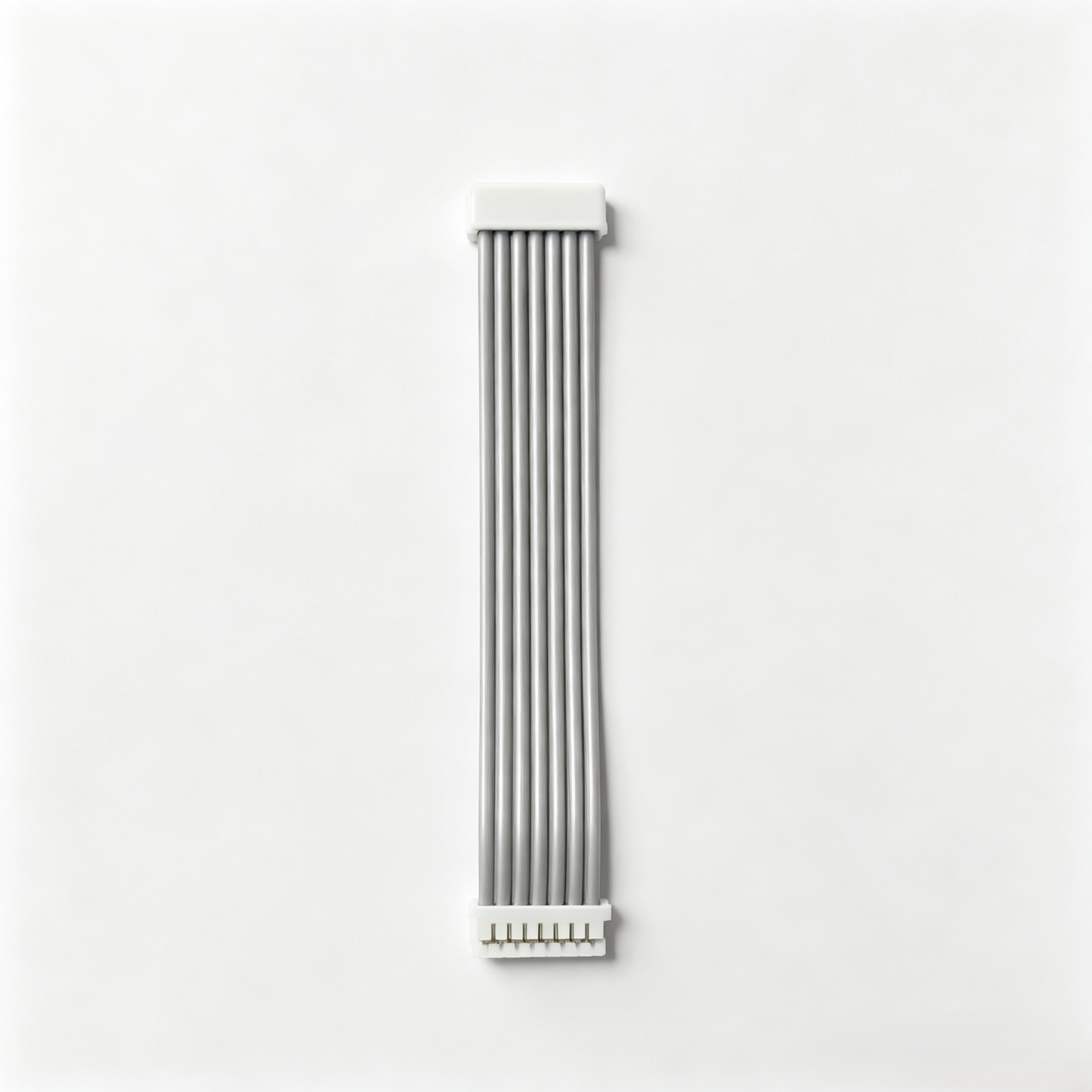
Official Top Panel Power Switch Button Connection Cable for Coredy R-Series Robot Vacuums

Official Top Panel Power Switch Button Connection Cable for Coredy R-Series Robot Vacuums

Regular price $9.99 USD
Regular price Sale price $9.99 USD
Sale Sold out
Shipping calculated at checkout.
Quantity

Checkout securely with

  • American Express
  • Apple Pay
  • Bancontact
  • BLIK
  • Diners Club
  • Discover
  • EPS
  • Google Pay
  • iDEAL Wero
  • JCB
  • Maestro
  • Mastercard
  • MobilePay
  • PayPal
  • Przelewy24
  • Shop Pay
  • Union Pay
  • Venmo
  • Visa

✅ Verified Compatible Models:

Coredy R300 Coredy R500+ Coredy R550 Coredy R580 Coredy R750 Coredy R650

❌ NOT Compatible With

Please do NOT buy if you have these models:

Coredy R750 Pro
  • Official OEM Replacement: 100% genuine Coredy factory ribbon cable specifically designed to connect the top interface panel (power switch/CLEAN button board) to the main motherboard.
  • Fix Unresponsive Power Buttons: Perfect for repairing robot vacuums that won't turn on, have completely unresponsive "CLEAN" or "HOME" panel buttons, or have blinking error codes caused by a broken connection.
  • 100% Plug-and-Play: Features factory-standard multi-pin terminal connectors on both ends. Requires absolutely zero soldering or wire stripping—simply plug it directly into the matching ports.
  • Premium Ribbed Shielding: Engineered with a high-durability, flexible gray ribbon jacket that safely routes through the internal shell to protect against pinches, abrasions, and electronic interference.
  • ⚠️ R-Series Exclusive: This specific flat cable is tailored strictly for Coredy R-Series models (such as R300, R500+, R550, R650, R750). It is NOT compatible with L-Series, R750 Pro or G-Series vacuums.
View full details

Restore Intelligence. Move with Precision.

Is your robot spinning in circles or getting stuck? Restore its smart navigation and climbing ability with our precision-engineered movement components.

High-Torque Drive Motors

Precision-wound copper motors provide consistent torque for climbing carpets and thresholds without overheating or noisy gear grinding.

Ultra-Responsive Sensors

Certified cliff and infrared sensors with anti-interference technology to ensure your robot avoids falls and detects obstacles with millisecond accuracy.

Precision Engineered Fit

Constructed from high-traction, non-marking rubber. These wheels provide a firm grip on all surfaces while maintaining silent movement.

The Difference in Durability

⚠️ Low-Quality Market Parts

Inferior motors often use plastic gears that strip easily, leading to loud clicking noises. Low-grade sensors can fail unexpectedly, causing the robot to fall down stairs or trap itself in corners.

🛡️ Coredy Certified Performance

Every module is stress-tested to sync perfectly with your robot's firmware. Ensures quiet, smooth, and intelligent navigation that matches day-one performance levels.

QA & Troubleshooting

Common questions regarding fitment, capacity, and installation.

What are the signs that my Coredy vacuum needs a new top panel switch cable? +


The most common signs include: 1) The physical "CLEAN" or "Power" buttons on the top of the vacuum do not respond at all when pressed; 2) The status indicator LEDs on the top panel fail to light up; 3) The vacuum functions perfectly via the remote control or App but remains completely dead to physical touch on the machine itself.

Does this cable control the main power switch on the side of the vacuum? +


No. This cable connects the top push-button control panel and its display lights to the motherboard. It does not control the hard on/off rocker switch located on the bottom side of the robot's bumper.

Is it easy to replace this ribbon cable by myself? +


Yes, it is very straightforward. You will need a standard screwdriver to remove the vacuum's top housing shell. Once inside, the cable is entirely plug-and-play. Simply release the terminal clips, pull out the damaged wire, and click the new one into place.

Will it matter which way I plug the connectors into the board? +


No need to worry! The white plastic terminal heads on both ends are molded with unique directional ridges ("keys"). They will only slide into the motherboard and control panel sockets in the correct, factory-intended orientation.

Why does this cable have so many individual wires bundled together? +


The top panel of your R-Series vacuum handles multiple signals simultaneously: it transmits command signals when you push the buttons, and it carries power to feed the different LED status indicators (like Wi-Fi status, charging animations, and error lights). This multi-pin design ensures all data flows perfectly.